GDPS Editor vs GDPS Editor 2.2 Lite: What’s the Difference?
GDPS Editor and GDPS Editor 2.2 Lite are names associated with community-made Geometry Dash editing projects, but they are not necessarily identical builds. If you are comparing GDPS Editor vs GDPS Editor 2.2 Lite, the most important things to check are the available editing tools, supported features, device compatibility, and whether the particular version still works.
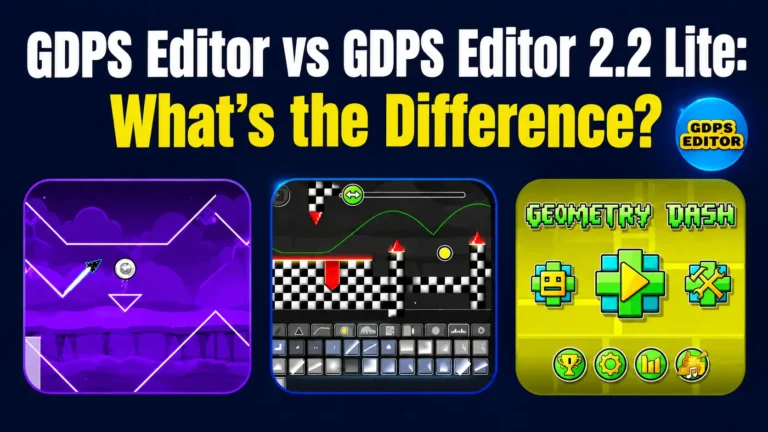
GDPS Editor 2.2 Lite became known through its older community release, which advertised features such as shaders, autobuild, and additional triggers. However, its history and current availability matter when choosing a version.
What Is GDPS Editor?
GDPS Editor is a community-developed tool for Geometry Dash that enables level creation. It allows players to arrange objects, test layouts, and create custom gameplay. More advanced builds may offer extra triggers, visual effects, and features related to Geometry Dash 2.2. The features available vary by release.
The GDPS Editor download page distinguishes between the new editor, a crash-fix version, and an older editor. These options exist for different compatibility and gameplay needs, so checking the build details is important before downloading.
What Is GDPS Editor 2.2 Lite?
GDPS Editor 2.2 Lite is a community build connected to Geometry Dash 2.2, released in June 2022. It introduced features like shaders for visual effects, triggers for gameplay changes, and autobuild for using templates. These additions attracted players looking to explore new editing mechanics.
The Lite 2022 build is not the same as current GDPS Editor releases, as community builds differ in features and compatibility. The creator’s 2022 video announced that the private server will permanently shut down on March 6, 2024. While an APK copy may still be online, the original server and its online features are no longer active.
GDPS Editor vs GDPS Editor 2.2 Lite: Main Differences
The main difference is the particular build being used, rather than the word “Lite” alone. The following table summarizes what can be established from the available information.
| Feature | GDPS Editor | GDPS Editor 2.2 Lite |
|---|---|---|
| Project type | Community Geometry Dash editing environment | Historical Lite community build |
| Level creation | Depends on the installed build | Depends on the available Lite release |
| Shaders | Available in the new editor listed on the official GDPS Editor download page | Advertised in the 2022 Lite release |
| Autobuild | Listed among the new editor’s features | Advertised in the 2022 Lite release |
| Triggers | Feature availability varies by build | Additional triggers were advertised |
| Compatibility | Depends on the selected APK and device | Depends on the legacy APK and device |
| Online services | Depends on the specific project and server | The original associated server was reported shut down in March 2024 |
| Best use | Choose a supported build that meets your editing needs | Explore the historical Lite release, subject to availability and compatibility |
Features of GDPS Editor 2.2 Lite
The older Lite release was promoted for several editing features. Their availability in a particular copy should be verified before relying on them.
Shaders and Visual Effects
Shaders are used to create visual effects that change the appearance of a level. Geometry Dash 2.2 introduced screen effects such as blur, color adjustments, and distortion effects.
The Lite release advertised shader-related functionality. However, the exact effects available may depend on the build and its implementation.
Autobuild and Level Creation
Autobuild was another advertised feature of GDPS Editor 2.2 Lite. In the Geometry Dash 2.2 editor, the Auto-Build system can automatically place custom designs using templates.
This type of feature can be useful when experimenting with level layouts or repeating design elements. It should not be assumed that every Lite APK includes the same templates or behaves identically to the full editor.
Triggers and Gameplay Mechanics
Triggers control events and changes within a level. Depending on the editor and its supported features, they can affect object movement, colors, visibility, timing, and other gameplay elements.
Geometry Dash 2.2 introduced many additional triggers and effects. Nevertheless, the presence of these features in the main game does not prove that every older GDPS Editor Lite build supports all of them.
Compatibility, Installation, and Current Status
GDPS Editor builds are commonly distributed as Android APK files. Before installing an older version, check the file source, compatibility information, and whether the release is still maintained.
- Check Android compatibility: An older APK may not work correctly on every Android version or device.
- Verify the exact build: Similar names do not guarantee identical features or application versions.
- Be cautious with third-party files: Scan downloaded files with reputable security tools and avoid APKs from untrusted sources.
- Understand server limitations: Installing an application does not restore a discontinued private server or guarantee that online features will work.
- Protect your progress: Back up important level files and data before changing builds or reinstalling the application.
For current build options, consult the GDPS Editor download page and compare its published information with the release you intend to use.
Which Version Should You Choose?
The right choice depends on what you want to do with the editor.
For general level creation: Look for a GDPS Editor build with documented features and compatibility information.
For experimenting with historical features: The Lite 2022 release may be relevant if you specifically want to explore that older community build.
For newer editing tools: Check which triggers, shaders, and other features are actually supported by the available version.
For online functionality: Verify that the associated server is operating before expecting online services to work.
For Android compatibility: Check the APK requirements and community reports for your device before installing an older build.
Ultimately, there is no one-size-fits-all winner. A version that offers interesting historical features might not be practical if its services have been discontinued or if it’s incompatible with your device.
Final Wording
When comparing GDPS Editor vs GDPS Editor 2.2 Lite, focus on the exact build, available editing tools, compatibility, and server status rather than the name alone. The Lite 2022 release advertised shaders, autobuild, and additional triggers, but its original associated server was discontinued. Check the available version details carefully before downloading or choosing an editor.